

Privileged Method
Some methods can only be called by a user with certain privileges. For example delete() on Member class, saveMember() on Dimension class, execute() on DataMap class, setSubstitutionVariableValue() on Application and Cube classes will throw an exception if called by a user that does not have administrator privileges.
This is directly from Oracle documentation, it sounds fair enough that high impacting methods are only possible with users having service admin rights. However, when you go into details of an actual implementation, requirements would be more complicated than that. For example, it is great to utilize .saveMember() method where you can enable users to add their own ‘to be hired’ employees to Resource dimension or allow users to create their own new projects or customers to respective dimensions. If you are truly deploying functionality to end users (non-admins). You will end up with an exception as stated in the documentation.
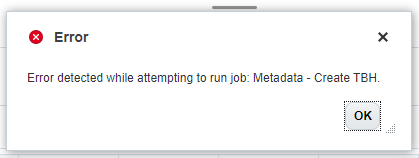
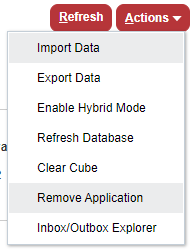
You can only run privileged methods with admin user rights. And if you give admin right to users, than you would be giving way too much access for people who are not trained to be EPM Application administrator. Please remember that Remove Application button is available for all service administrators.
So, high level steps on how you can give partial admin rights to users. In other words, give them ability to run scripts that add members to metadata without giving them option to delete entire application.
- Prepare usual business rule that only admins can access. Rule having .saveMember() method for instance.
- Create a local connection object in your application
- Prepare a wrapper business rule that will make use of connection and trigger the intended rule.
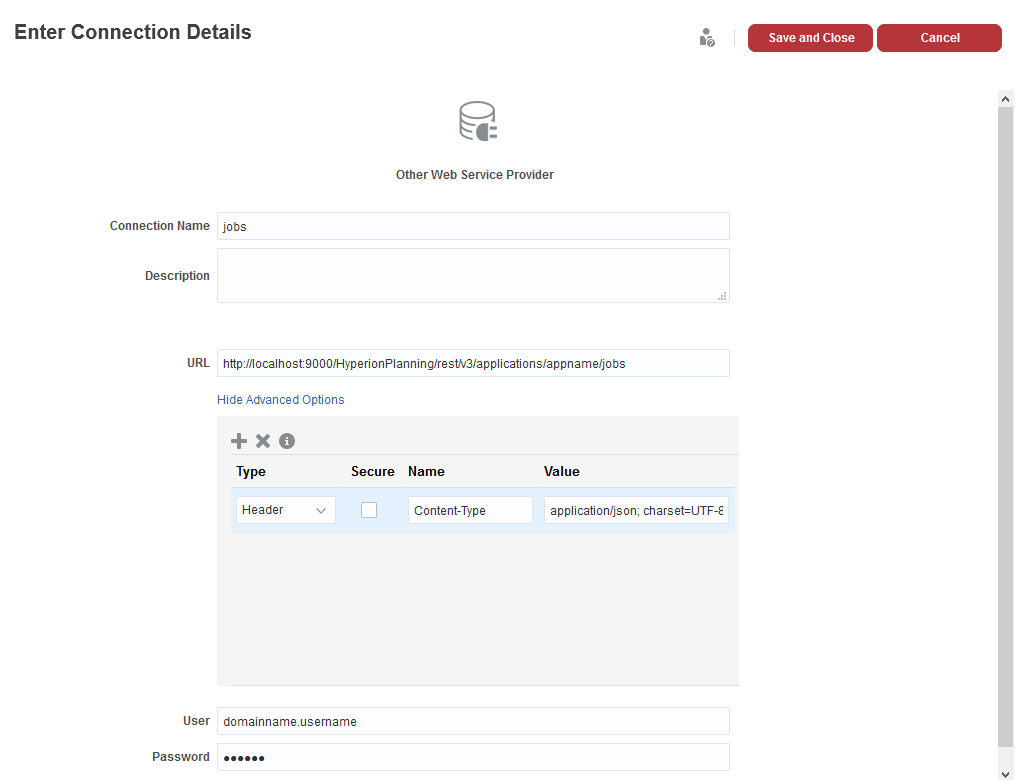
I wont go into details of step 1 in this post. Step 2 is all about creating Other Web Service Provider. You need an admin user here, this will be used to trigger actual business rule.
Step 3 is going to be the wrapper business rule visible to end users, this means, first of all, we need all the rtps that underlying business rule requires. Let’s say we need an Alias and a Parent to create a member. We can begin by defining same rtps and push them in parameters of JSONObject. Idea is to create the payload required to use the RestAPI.
/*RTPS:{RAlias}{RParent}*/
def params = new JSONObject()
  .put("RAlias",rtps.RAlias)
  .put("RParent",rtps.RParent)
def body = new JSONObject()
  .put("jobType","Rules")
  .put("jobName","Metadata - Create TBH")
  .put("parameters",params)
.toString()
Next step is to use the connection object we created earlier in step 2 with getConnection() method and submit the http request to the RestAPI end point. This will simply return the jsonResponse as server response to this request. At this point, the main rule starts to execute if everthing is good.
HttpResponse<String> jsonResponse = operation.application.getConnection("jobs").post().body(body).asString();
Http response has got lots of information about the job you intended to trigger. First check should be about response status to make sure it returns 200 or similar. If you have syntax issues on your payload or any service level issues may return some other status that you may want to capture and stop rest of the execution.
if(!(200..299).contains(jsonResponse.status)){
  throwVetoException("Error processing RestAPI: $jsonResponse.statusText")
}
You can capture the jobID that has been triggered using following lines.
def ctx = JsonPath.parse(jsonResponse.body)
def jobID = ctx.read('$.jobId').toString()
Than, you just need to loop around and wait until the rule execution completes with success or failure.
final int IN_PROGRESS = -1;
int status = IN_PROGRESS
HttpResponse pingResponse
for(long delay = 50; status == IN_PROGRESS; delay = Math.min(1000, delay * 2)) {
  sleep(delay)
  pingResponse = operation.application.getConnection("jobs").get("/$jobID").asString()
  status = JsonPath.parse(pingResponse.body).read('$.status');
}
Quick reminder, -1 status for a job means, job is in progress. 0 status for a job means, job is completed with success. 1 status for a job means, job is completed with failure. So, it is good to check if the job is finishing with 0 status or 1 status and fail your wrapper script with an exception if underlying script is failing.

if(status>0){
  def ctx2 = JsonPath.parse(pingResponse.body)
  def fdetails = ctx2.read('$.details').toString()
  throwVetoException("Error processing RestAPI: $fdetails")
}
This piece of code will check if there was a failure during the execution of main underlying script and will fail the wrapper script with the failure details. In cases where underlying script return status 0, wrapper script will complete without errors.


